Pushing code to a personal repository always prompts a 403 error:
fatal: unable to access ‘https://github.com/xxx/xxx.git/’: The requested URL returned error: 403
Online search, all about how to delete credentials in mac or linux method, in windows does not apply at all, checked a lot of information, finally found the following method:
Press Win + R, type control keymgr.dll and enter to open the credential manager;
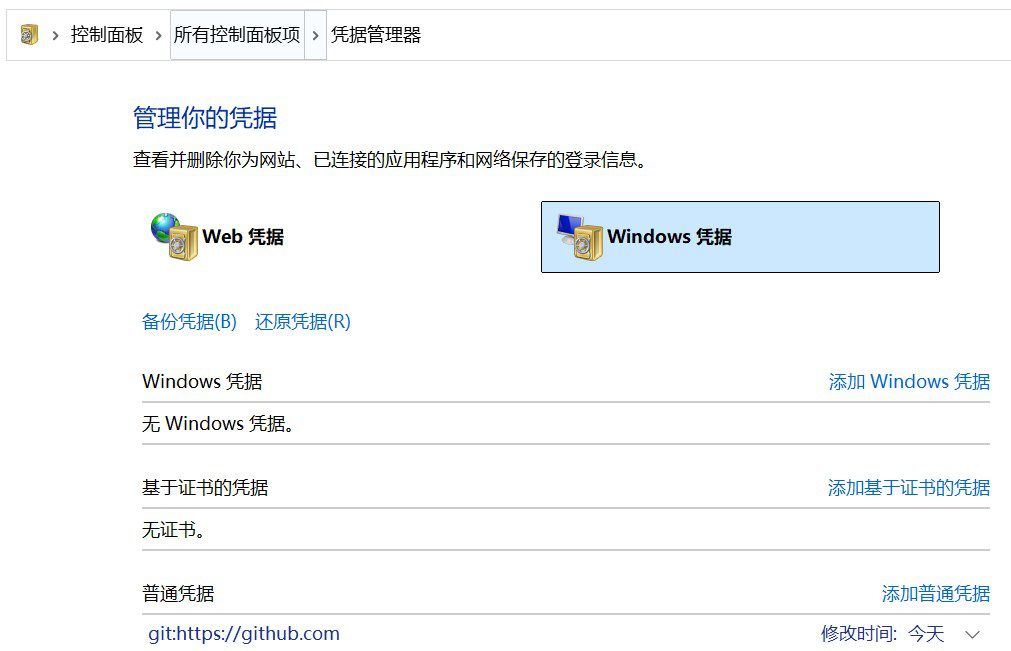
Under the "Windows Credentials" tab, find all entries that contain github.com (usually of the "normal credentials" type);
Select these entries and click "Delete" to clear the old cached credentials.












 English
  Chinese