 VirtualCardx
AI Coding Tools: Claude Code vs Cursor vs Windsurf
Verification note — September 15, 2026
Prices, plans, eligibility, regional availability, fees, USSD codes, network costs and service status in this article can change without notice. This review uses Anthropic Claude Code and Cursor official pricing/docs as the official recheck point. Historical figures and hands-on observations remain dated context, not a current quote, availability promise, or payment-success guarantee. Before buying, topping up, moving assets, or sending an on-chain transaction, recheck region, tax, network and expiry on the provider’s final checkout, app/support channel, or wallet confirmation screen.
Let’s start with the conclusion: the type of tool is more important than the brand.
By 2026, AI programming tools had diverged into two completely different categories:
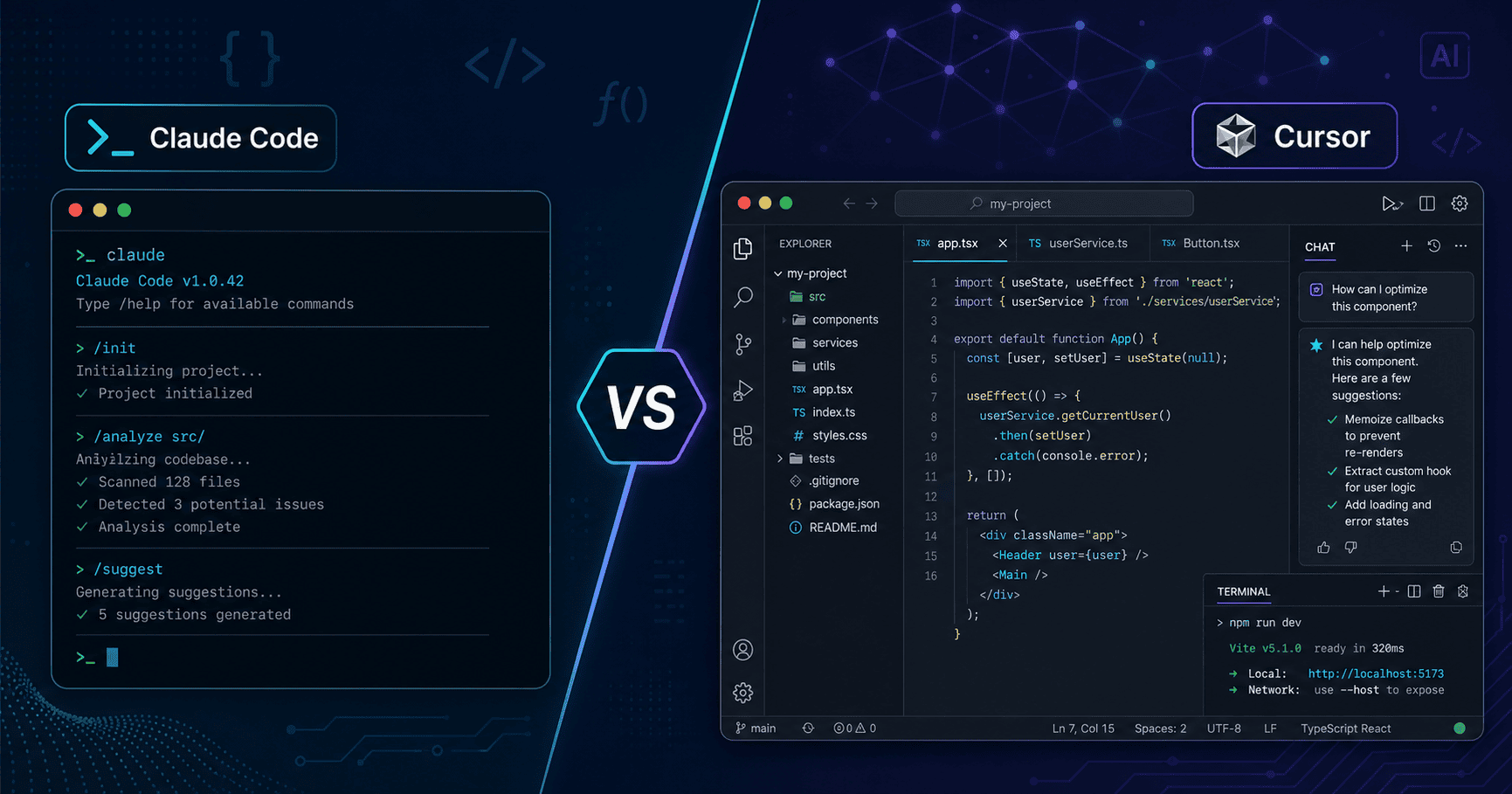
One isThe IDE's built-in AI assistant, with Cursor and Windsurf being prime examples. Their core capabilities include real-time code completion as you write, making changes to the code snippet you’ve selected, and answering questions in the sidebar. The user experience is more like ”a very smart code editor.”
Another type isSelf-Programming Agent in the Terminal...Claude Code sets the standard. Rather than simply autocompleting your input, it reads through your entire project, plans tasks, edits files, runs tests, and even submits pull requests. The experience is more like ”having a junior developer sitting next to you—you tell them what you need, and they get to work.”
These two things don’t address the same problem. The root cause of many people choosing the wrong tool is that they haven’t clearly identified what they’re actually missing.
Claude Code: The Ultimate Tool for Complex Projects
Claude Code is Anthropic's proprietary command-line tool that runs directly in the terminal. Once installed, type the following in your project directory:claude...and it begins analyzing your codebase.
The first time I used it was while refactoring a Python project with over 200 files. I told it, ”Replace all synchronous requests using the `requests` library with asynchronous `httpx` requests,” and it took about 15 minutes to go through each file one by one—checking, making changes, running tests, and fixing compilation errors—before finally providing me with a complete diff. Doing the same work manually would have taken at least two days, by a conservative estimate.
The most impressive thing about Claude Code isContextual Understanding. It can search the codebase on its own to find relevant type definitions, configuration files, and test cases—without requiring you to manually select files. This is completely different from Cursor’s ”select a file first, then ask” mode.
In terms of pricing, Claude Pro costs $20 per month, while Max costs $100. The Pro plan has a daily usage limit, which can easily be reached when performing large-scale refactoring. If you're a heavy user, Max is a better value.
Who is it for: Developers for medium- to large-scale projects who need to perform cross-file refactoring, write new feature modules, and fix complex bugs.
What's the catch?: It’s too heavy for minor tweaks. For something like changing a CSS color or fixing a typo, running Claude Code actually takes longer than making the changes manually. Plus, since it relies on Claude’s model, the results won’t be as good if your project doesn’t align well with the distribution of Claude’s training data (such as with certain niche frameworks).
Cursor: The Perfect Companion for Everyday Programming
If Claude Code is a ”colleague who helps you get your work done,” then Cursor is an ”editor that helps you write faster.”
It's built on VS Code, so almost all the extensions, keyboard shortcuts, and themes you've used before can be migrated seamlessly. It has two key features: tab completion and the Chat panel.
Tab completion has become quite sophisticated in the 2026 version. It doesn’t just autocomplete the code on the current line; it can predict what you’ll write in the next few lines based on the context. When writing React components, as soon as I type the function name and prop types, it can basically auto-generate the entire component skeleton.
The Chat panel is deeply integrated with the editor. Select a block of code, press Cmd+K to open inline editing, type ”Add error handling,” and it will make the changes right there. Review the diff, and if everything looks good, just accept the changes. The entire process happens without switching windows.
Pricing is Free / Pro $20/month. The Free version includes 500 advanced model requests per month, which is sufficient for light use. The Pro version offers unlimited requests.
Who is it for: Developers who need to speed up their daily coding. Whether you're working on front-end, back-end, or scripting, Cursor can boost your productivity.
What's the catch?: It struggles with extremely large tasks. When you ask Cursor to edit 30 files at once, it often gets confused halfway through. That’s when you should switch to Claude Code. Also, Cursor uses Claude and GPT models by default—which specific version depends on your subscription tier—and the experience can sometimes be inconsistent due to model switching.
Windsurfing: A Great Value Choice
Windsurf (formerly Codeium's IDE product) takes a low-price approach; the Pro version costs $15 per month, which is $5 cheaper than Cursor.
Functionally, it’s very similar to Cursor: an AI-native IDE with code completion, a chat feature, and an Agent mode. But there’s one notable difference in the user experience—Windsurf’s Agent mode (called “Cascade”) handles multi-file modifications differently than Cursor. Cursor tends to have you select files and then issue commands, while Windsurf’s Cascade takes a more aggressive approach, deciding on its own which files to modify.
Being aggressive can be good sometimes, but not always. The upside is that it saves you the trouble; the downside is that you have to carefully check what changes it has made. I once encountered a situation where Cascade took it upon itself to modify a configuration file, causing CI to fail. However, this issue has improved significantly in recent versions.
The Free version is quite generous—it has no limit on the number of code completions and uses its own models. If you don’t want to spend money but still want a good AI IDE, Windsurf Free is currently the best option.
Who is it for: Developers on a tight budget, or beginners who want to try out AI programming tools first.
Aider: The Top Choice for Open-Source Geeks
Like Claude Code, Aider is a terminal tool, but it has two key differences: it is completely open source, and it can connect to the APIs of any model.
You can run Aider locally and configure an OpenRouter key. Write code using GPT-5.2 today, switch to Claude Fable 5 tomorrow, and switch to DeepSeek V3 the day after—all by changing a single environment variable. This level of flexibility is something other tools simply can’t offer.
However, the flip side of this flexibility is a steep learning curve. Aider doesn’t have the same strong ”autonomous search” capabilities as Claude Code, so you often have to manually tell it which files to modify. The interface is also much simpler—it’s just a command line with no fancy interactivity.
For many people, this isn't a problem. In fact, if you already know what you want to change, all you need is a terminal agent that can quickly modify code—and Aider is more than sufficient. Plus, since it's open source, you can customize its behavior yourself, and the community has contributed a wealth of custom commands and workflows.
Aider itself is free; the cost comes from the model API you choose. If you use an inexpensive model like DeepSeek, the cost of writing code for a day might be less than $1.
Who is it for: Developers who are familiar with the command line, those who want to choose which model to use themselves, and those on a tight budget who are willing to tinker.
What is the best way to combine them?
My current daily workflow involves using two tools in combination:
Using Cursor for everyday development—writing new code, using autocomplete, making quick edits, and looking up documentation. These are the most common scenarios, and Cursor’s real-time performance is something the terminal agent simply can’t match.
When I’m faced with a big task, I switch to Claude Code—whether it’s refactoring across files, writing an entirely new module, or batch-updating API call patterns. For tasks like these that require ”understanding the big picture before getting to work,” Claude Code’s contextual capabilities are in a league of their own.
This ”IDE Agent + Terminal Agent” combination is the most efficient setup I’ve seen in 2026. amrytt’s review reached a similar conclusion: most professional developers end up using at least two AI programming tools.
If you're on a tight budget and can only choose one, ask yourself this: Does your work mainly involve ”writing new code” or ”modifying existing code”? Choose Cursor for writing new code, and Claude Code for modifying existing code.
A Few Common Misconceptions
“AI programming tools can replace writing code”—No. The whole point of these tools is to help you work more efficiently, not to do the thinking for you. Architectural decisions, business logic, and security considerations—you still have to handle those yourself. I’ve seen way too many people just submit code written by AI, only to be completely baffled when bugs pop up.
“The more expensive, the better”—Not necessarily. Devin costs $500 a month and bills itself as a ”fully autonomous AI software engineer.” I tried it for two weeks and found that it wasn’t as effective as Claude Code at handling complex projects. Just because it’s expensive doesn’t mean it’s right for you.
“Once you install it, you'll know how to use it”—No. All these tools have a learning curve. It takes a few weeks of practice to develop muscle memory for Cursor’s Tab completion, and you need to experiment with Claude Code’s prompts to get good results. It’s perfectly normal to think ”it’s nothing special” the first time you use them—just stick with it for two weeks and see how it goes.
Regarding Domestic Use
The availability of these four tools varies greatly within the country:
Both Cursor and Windsurf require logging in with an overseas account; Cursor’s AI requests go through U.S. servers. Claude Code requires an Anthropic account or API key, and direct connections from within China are unstable. Aider is the most flexible, as it can connect to any API, including domestic relay services.
If you're in China, a practical approach is to use Cursor as your editor (its code completion isn't very strong and depends on network latency), pair Claude Code with a reliable API proxy, and use Aider with the DeepSeek API as a backup. This way, you won't experience lag, and costs remain manageable.
In Closing
The field of AI programming tools is evolving so rapidly. As I write this article, Claude Code has just released its dynamic workflow feature, and Cursor’s Agent mode is also undergoing rapid iterations. Some of the observations in this article may need to be updated in three months.
But one thing won't change in the short term:The value of a tool depends on what you use it for.. Before choosing tools, first figure out what your biggest pain point is in your daily programming. Is it that you’re writing code too slowly? Is refactoring too tedious? Or do you get stuck when debugging? Different pain points call for different tool combinations.
Don't get caught up in headlines like ”The Most Powerful AI Programming Tool.” Just download one, try it out for two weeks, and if it doesn't feel right, switch to something else. It's just like shoes—only you know if they fit.