
How to Recover a Disabled Google Account
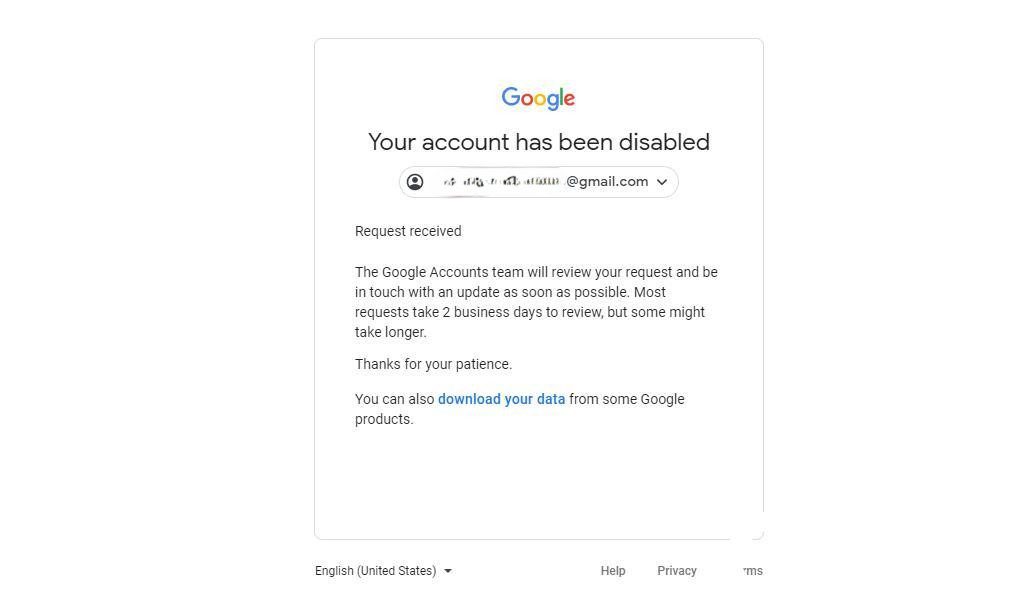
In early June, to register a LinkedIn account, I manually registered a Google account. Today, when I logged into LinkedIn, I suddenly found that the Google account had been signed out and could not be logged back in. The message said:

This situation means the Google account has been disabled (it feels like Google has been banning accounts more aggressively this year than before). I have recovered quite a few Google accounts before, so I do have some experience. Since I was doing it from scratch today, here is the full process for anyone with similar needs:
1. Click Next
2. Complete the image CAPTCHA, then click Next
3. Click Start appeal — a text box appears for you to fill in your appeal reason
This step matters most. What we usually write in the appeal:
First, this account is very important to me.
Second, explain the reason — connection issues, recent travel, recent use of public networks, and so on, which led to the account being banned.
Third, request to have the account restored.
Be sincere and admit the mistake (even though it may not be our fault). If your English is not great, use a translation tool — but never directly copy an appeal template from the internet. Google's account banning and recovery rely mainly on artificial intelligence, and identical appeal templates lower your chances of recovery.
Here is what I wrote:
Hello, I found that my Google account has been disabled today. My Google account is mainly used to register my LinkedIn account, and I use this email to keep in touch with my partners. Now my account has been disabled. I think it may be because I use V** to access the international internet in China, which leads to my unstable internet connection. Please help me recover. Thank you.
Hello, I found that my google account has been disabled today. My Google account is mainly used to register my Linkedin account, and I use this email to keep in touch with my partners. Now my account has been disabled, I think it may be because I use V** to access the Internet in China, which leads to my unstable Internet connection. Please help me recover, thank you
4. Click Next
5. Enter a backup email and click Submit appeal
6. Within a few minutes, the backup email receives a message from noreply@google.com
Based on my experience, if you appeal immediately after the ban, recovery usually takes about one business day. If you submit the appeal long after the ban, the recovery time is extended accordingly — generally no more than 3 business days.