往个人仓库推送代码总是提示403错误:
fatal: unable to access ‘https://github.com/xxx/xxx.git/’: The requested URL returned error: 403
网上搜索了下,全部讲的是如何在mac或者linux删除凭据的方法,在windows根本不适用,查了很多资料,终于找到了以下的方法:
按下 Win + R,输入 control keymgr.dll 并回车,打开凭据管理器;
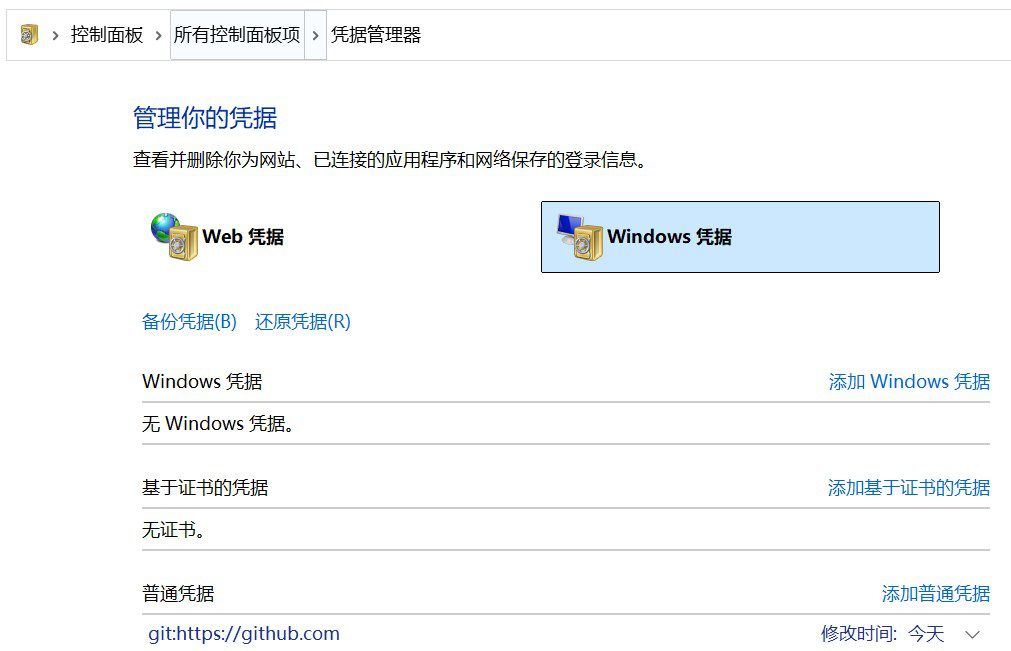
在「Windows 凭据」标签下,找到所有包含 github.com 的条目(通常是「普通凭据」类型);
选中这些条目,点击「删除」,清空旧的缓存凭据。












 Chinese
  English